Add and set up minigames
Overview
Minigame spots are used to start a minigame. If the player enters the specified area, the spot activates and displays information about the minigame, the players previous success as a highscore and allows the player to start a minigame play round.
How to add a minigame
To add a new minigame to an area, do the following:
Open the scene, in which the minigame should be
Create a new
game objectas a child of theMinigamesgame object on the hierarchy
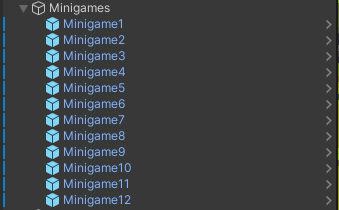
Add the
Minigamescript, aBox Collider 2Dcomponent, aSprite Renderercomponent and aAnimatorcomponent to the created game object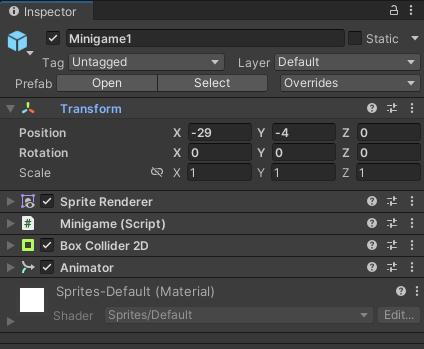
Place the object where the minigame should be (via the
xandycoordinates)Adjust the trigger area of the
Box Collider 2Dcomponent using theEdit colliderbutton (default width and height is1.5)
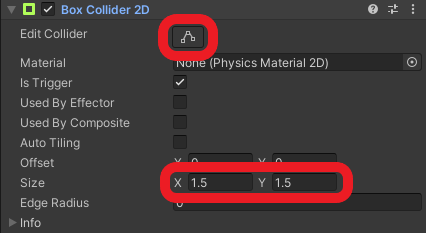
Set the
Is Triggerflag at theBox Collider 2Dcomponent
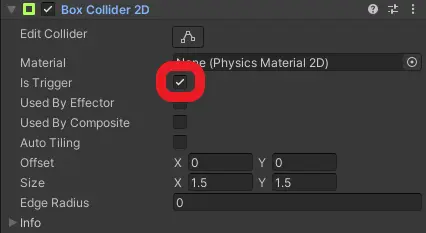
How to set up a minigame
Provide the required data for the minigame at the Minigame component
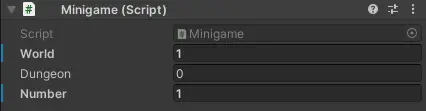
World: The index of the world the minigame is inDungeon: The index of the dungeon the minigame is in,0if it is in a worldNumber: The index of the minigame in its area (a consecutive number starting from1)
You also need to set up the Animator component. To do that, select the Minigame controller located at Assets/Animations/MinigameSpot as the Controller attribute.
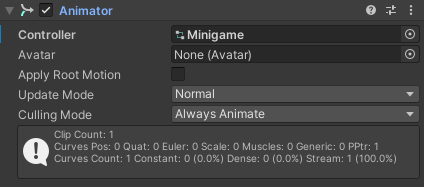

Prefab
You can also speed up that process by using the provided prefab, located at Assets/Prefabs/Minigames.
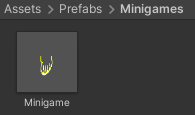
Simply drag an drop the Minigame object into the scene hierarchy as a child of the Minigames game object.
You can then skip steps 2, 3, 5 and 6 as well as setting up the Animator component.
Lecturer Interface
Once you have added all minigames you want to add, do not forget to update the maps for the lecturer interface by pushing a new commit changing the specific image in https://github.com/Gamify-IT/docs/tree/main/user-manuals/maps.
You should also update the line mapCommitHash: … in the lecturer interface config file with the new SHA.
Disclaimer
You can only add minigames to an area when you have less than maxMinigames (script GameSettings located at Assets/Scripts/GameManager) in this area.
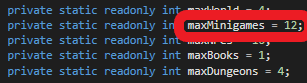 Everything above will not be configurable from the backend.