Load worlds
Overview
World loaders are used to dynamically load new parts of the map and unload no longer needed ones.
By doing that, the amount of data to handle is smaller and that increases the performance of the game.
How to create a world loader
To add a new part of the world, you need to create it, move it to the right place and set up the loading and unloading.
To do that, do the following:
Open the scene, in which the scene transition should be
Create a new
game objectas a child of theWorld Loadergame object on the hierarchy

Add the
Load Mapsscript and aBox Collider 2Dcomponent to the created game object
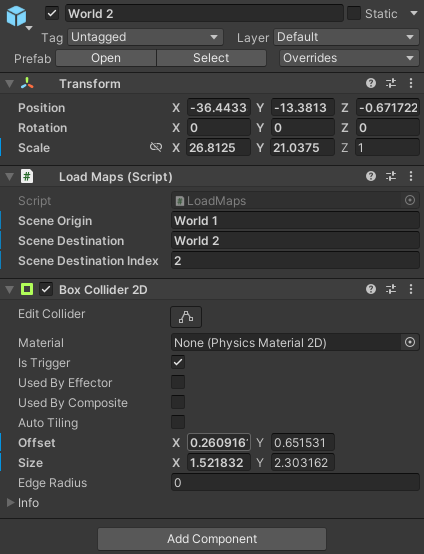
Place the object at the pathway to another part of the map (via the
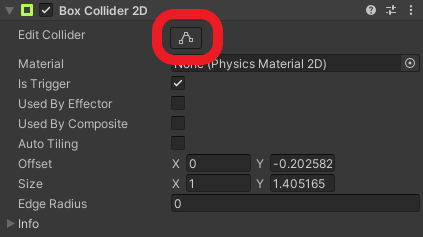
xandycoordinates)Adjust the collider of the
Box Collider 2Dcomponent using theEdit colliderbutton
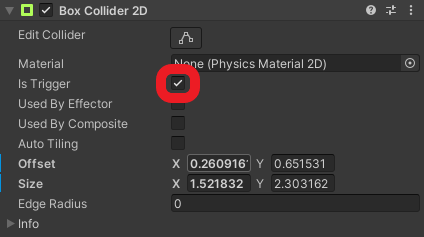
Set the
Is Triggerflag at theBox Collider 2Dcomponent
How to set up a world loader
Provide the required data for the world loading at the Load Maps component

Scene Origin: The name of the scene, which the world loader is in (normallyWorld x)Scene Destination: The name of the scene, which the world loader should load (normallyWorld y)Scene Destination Index: The index of the world the world loader should load (in this casey)
Prefab
You can also speed up that process by using the provided prefab, located at Assets/Prefabs/Scene Transition.
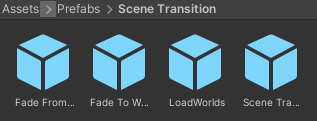
Simply drag an drop the LoadWorlds object into the scene hierarchy as a child of the World Loader game object.
You can then skip steps 2 and 3.