Add and set up NPCs
Overview
NPCs are used to impart knowledge to the player.
The lecturer can set dialogues and texts to help the player to complete minigames.
A player can talk to an NPC as often as he likes to.
How to add a NPC
To add a new NPC to an area, do the following:
Open the scene, in which the NPC should be
Create a new
game objectas a child of theNPCsgame object on the hierarchy
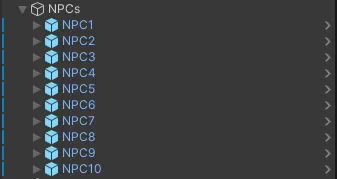
Add the
NPCscript, aBox Collider 2Dcomponent, aSprite Renderercomponent and aCapsule Collider 2Dcomponent to the created game object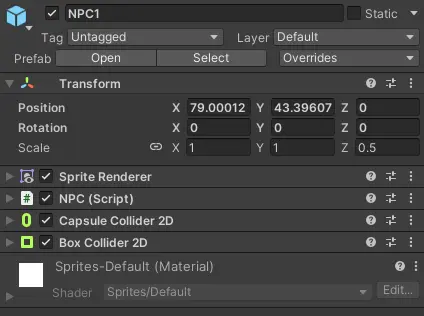
Place the object where the NPC should be (via the
xandycoordinates)Adjust the trigger area of the
Box Collider 2Dcomponent using theEdit Colliderbutton (this sets the area the player can talk to the NPC)Adjust the trigger area of the
Capsule Collider 2Dcomponent using theEdit Colliderbutton (this sets the collider of the NPC)
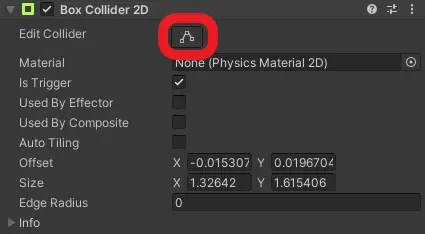
Set the
Is Triggerflag at theBox Collider 2Dcomponent
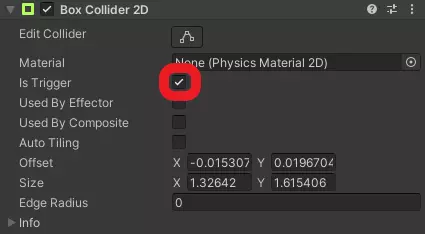
How to set up a NPC
Provide the required data for the NPC at the NPC component
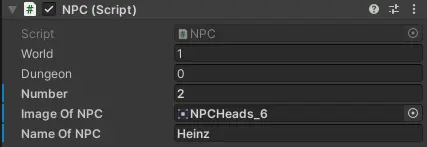
World: The index of the world the NPC is inDungeon: The index of the dungeon the NPC is in,0if it is in a worldNumber: The index of the NPC in its area (a consecutive number starting from1)Image Of NPC: The image shown in the dialogue boxName Of NPC: The name of the NPC
You also need to set up the Sprite Renderer component.
Select a sprite as the visible appearance of NPC as the
Spriteattribute.
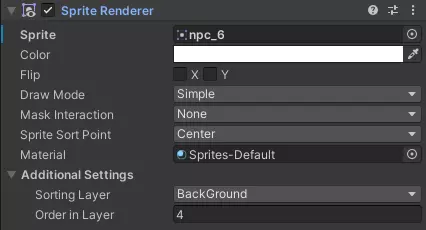
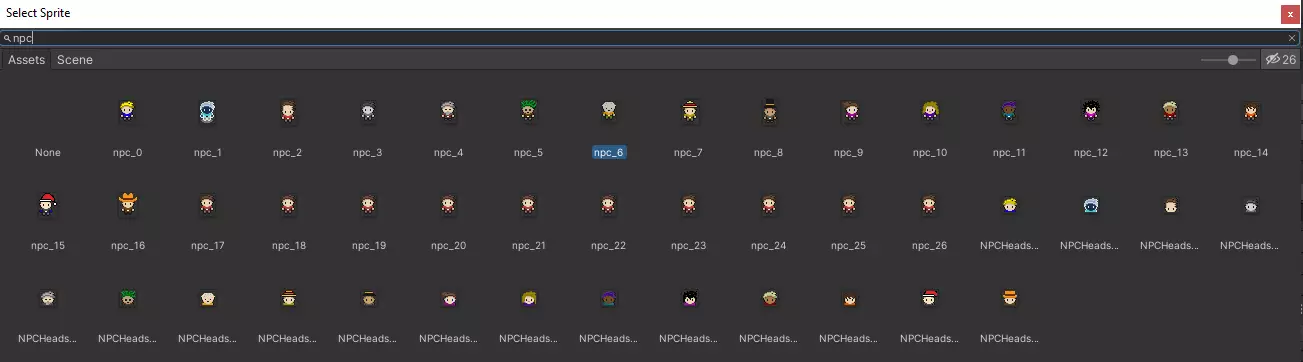
Select in the
Sorting Layerdrop-down menuBackGroundThe
Order In Layerattribute has to be4
Prefab
You can also speed up that process by using the provided prefab, located at Assets/Prefabs/Interactable.
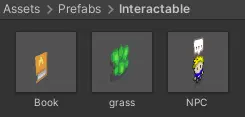
Simply drag an drop the NPC object into the scene hierarchy as a child of the NPCs game object.
You can then skip steps 2, 3, 5, 6 and 7.
Lecturer Interface
Once you have added all NPCs you want to add, do not forget to update the maps for the lecturer interface by pushing a new commit changing the specific image in https://github.com/Gamify-IT/docs/tree/main/user-manuals/maps.
You should also update the line mapCommitHash: … in the lecturer interface config file with the new SHA.
Disclaimer
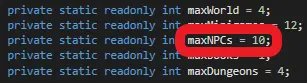
You can only add NPCs to an area when you have less than maxNPCs (script GameSettings located at Assets/Scripts/GameManager) in this area.
 Everything above will not be configurable from the backend.