How to make a Tile
Setup
Step 1
Open either the 32x32px template or the 16x16px template in Illustrator.
You can find the templates in the tiles repository in the templates folder.
Step 2
Add the colorset you want.
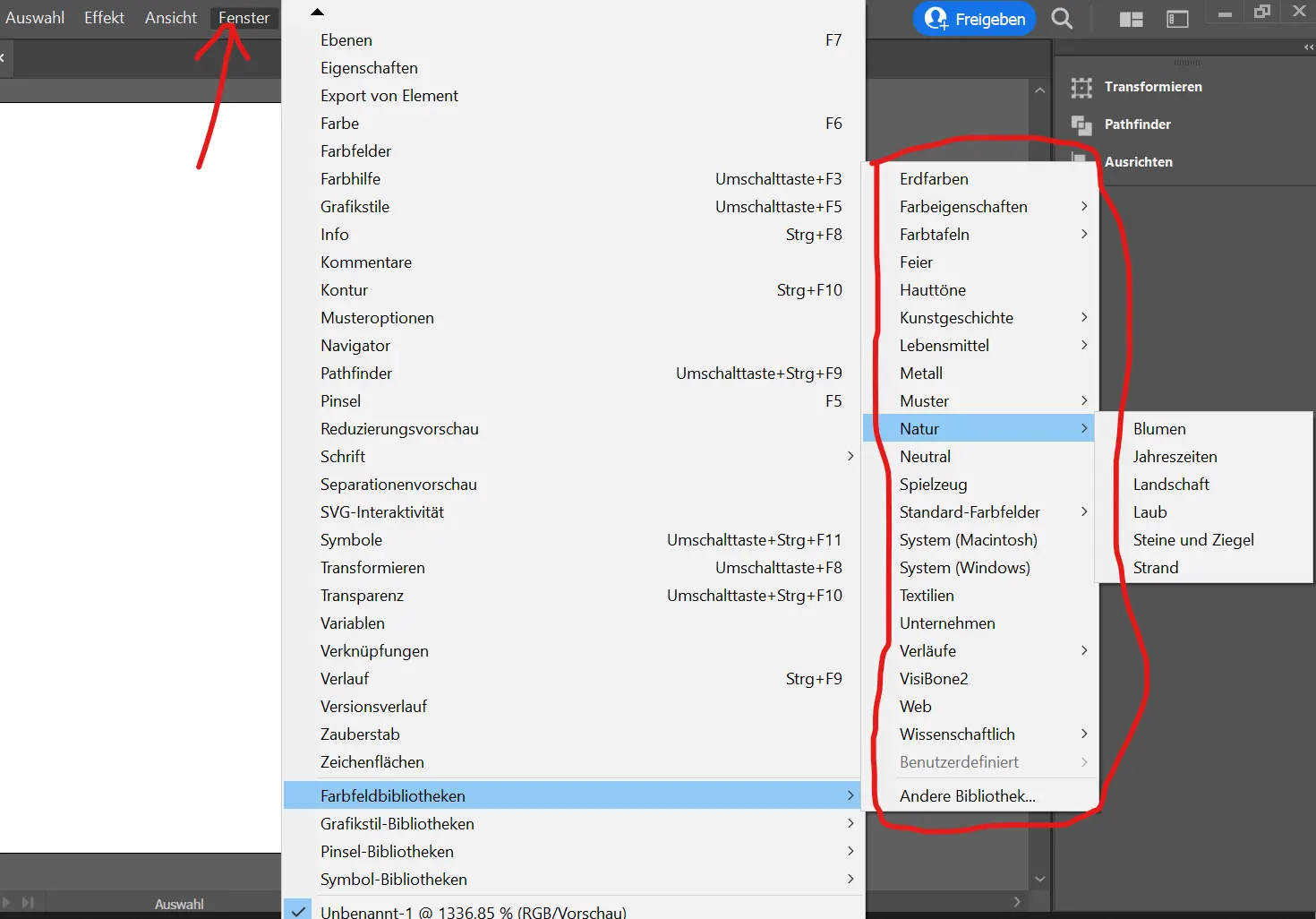
Step 2
Choose the right tool.
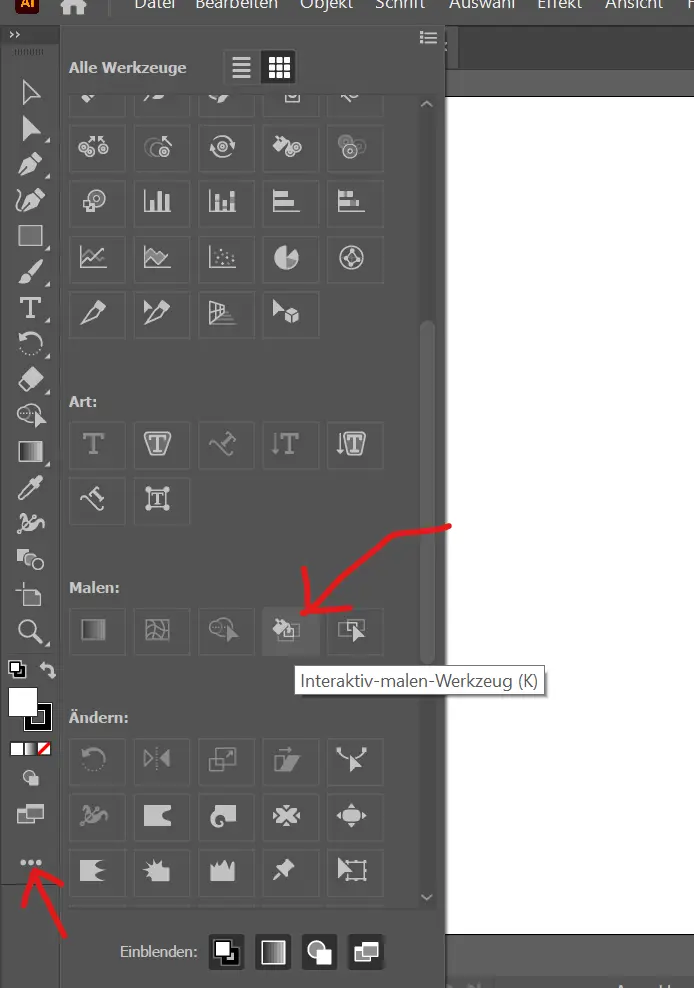
Step 3
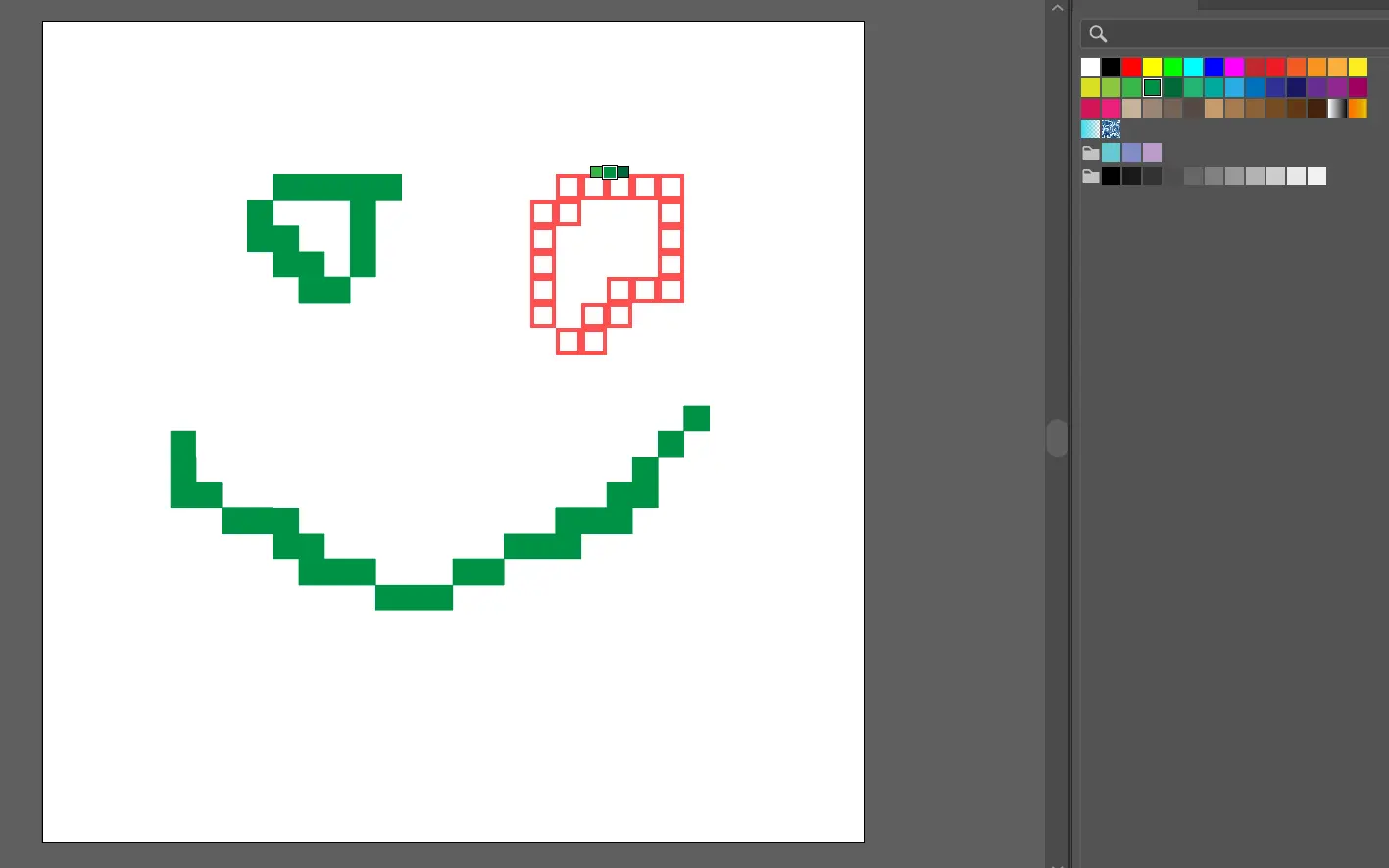
Choose the right color. Left click to paint. Have fun! Make sure the shadows are transparent when drawing!
Export 32x32px or 16x16px
Step 1
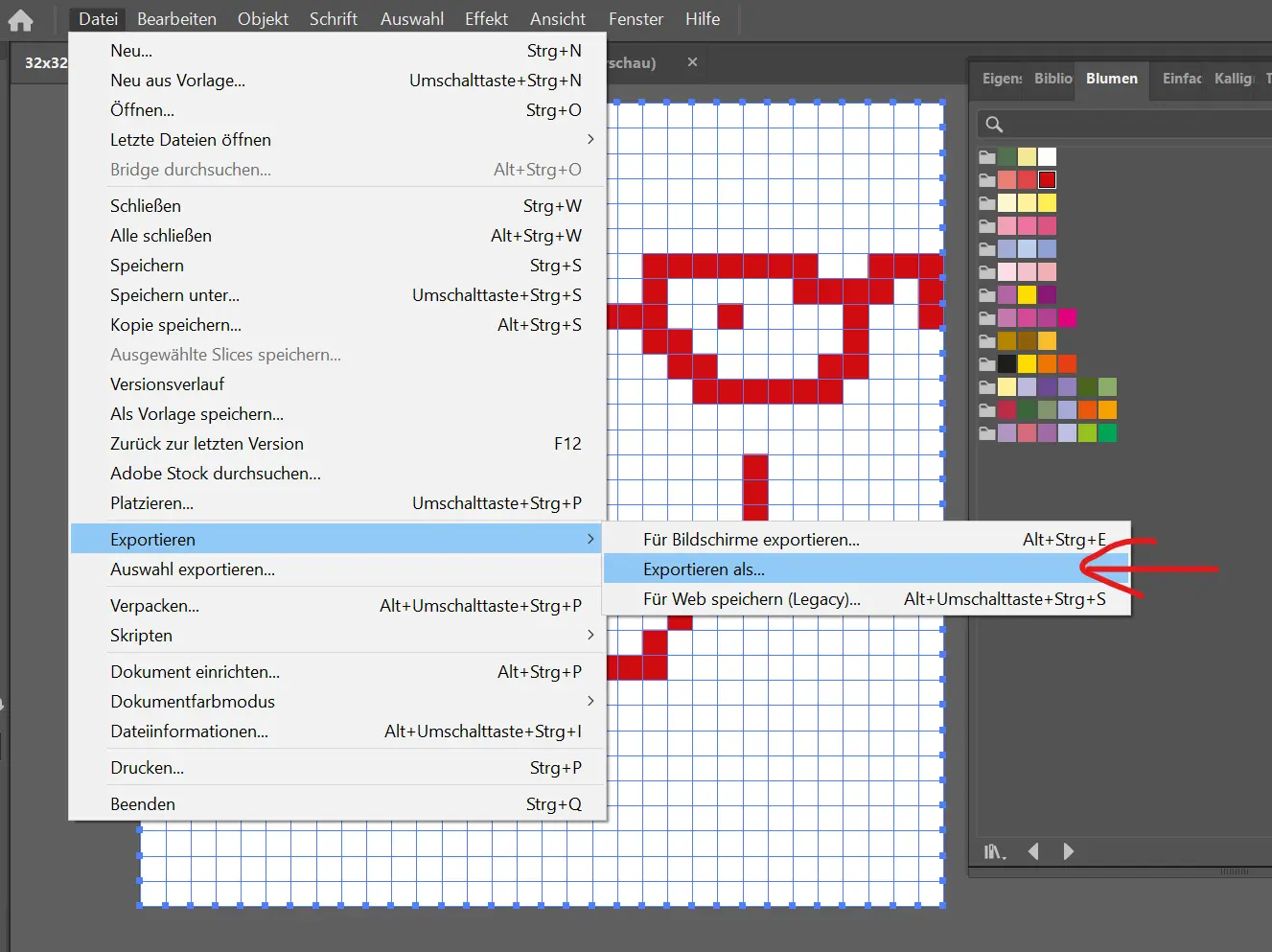
Step 2
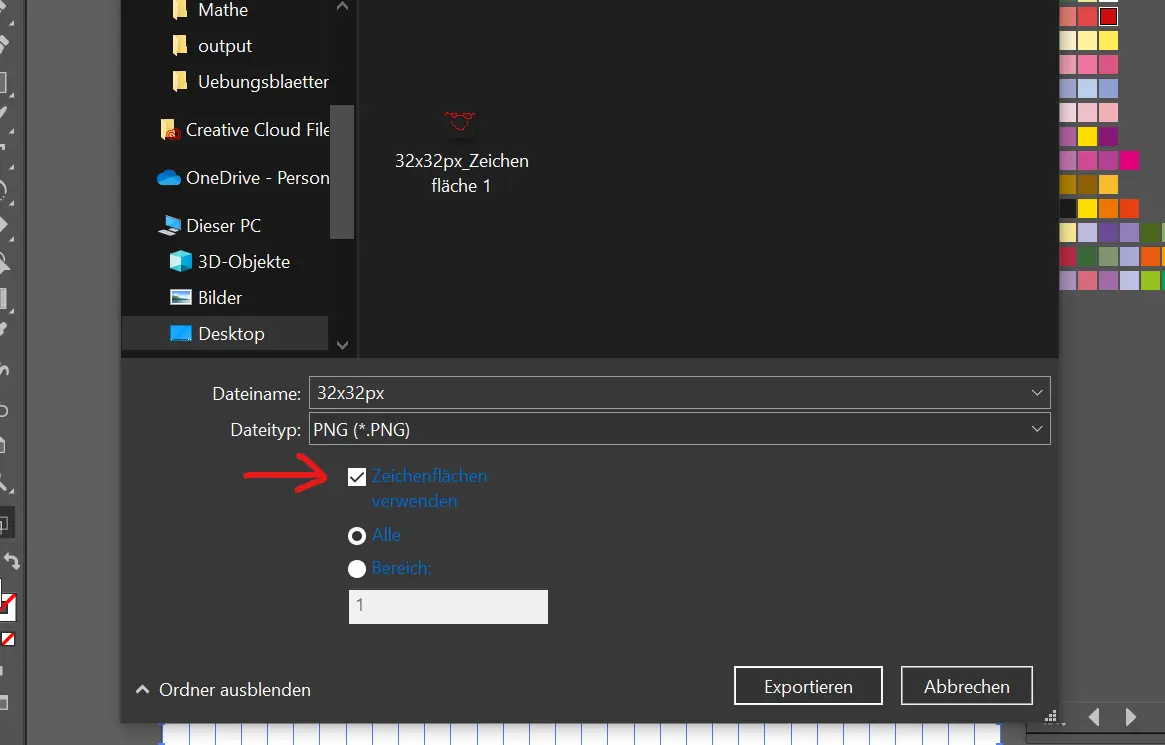
Step 3
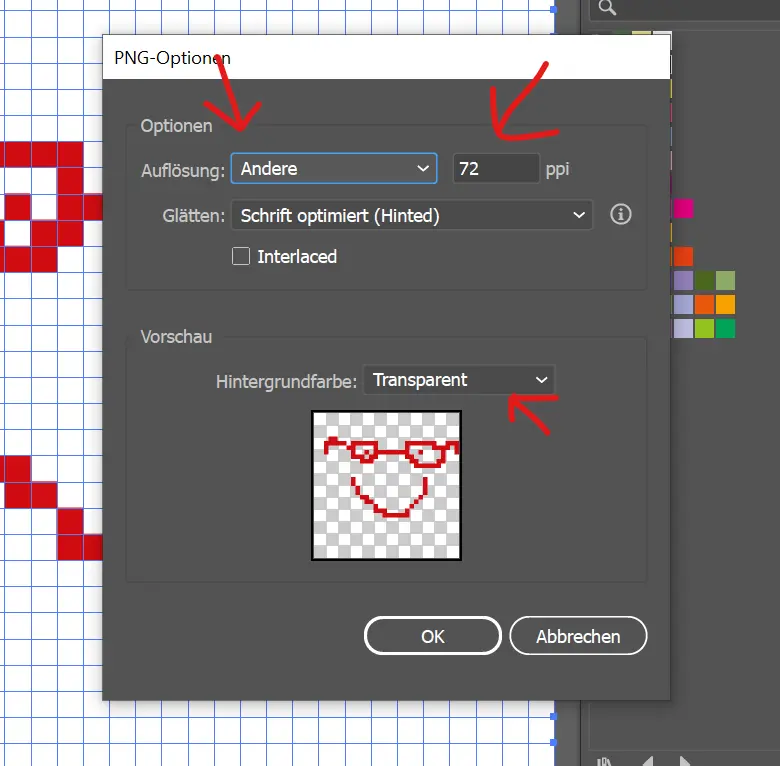
Result
