Build Unity project
Prerequisite
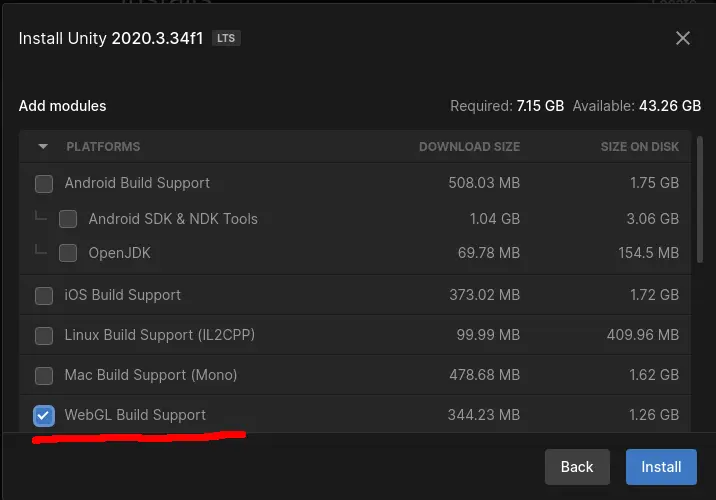
If you install a new Unity version make sure to check WebGL Build Support.
Setup Unity project player settings
Switch platform to WebGL
Goto File>Build Settings... and press on WebGL and then on the button on the bottom right corner Switch Platform. If the Switch Platform button is not present but a Build button is, that means that your current platform already is WebGL which in this case you don’t need to switch platforms.
Disable Encryption
Goto Edit>Project Settings>Player>Publishing Settings and set Compression Format to Disabled
Build WebGL project
Goto File>Build Settings... and make sure WebGL is selected and is the target. If not you need to press the button on the bottom right corner Switch Platform. Then press Build and set the path to /Build.